Southbound 2.0 is the largest update since launch. Every screen is new, and so is the report. The record underneath is the same one you have been keeping all year.
The brief was simple. Southbound tracks something with real money attached to it, so it should read like a statement from a private bank, not a fitness app. Quiet type, one number that matters, and nothing you have to decode before you book a flight.
One number, before every trip
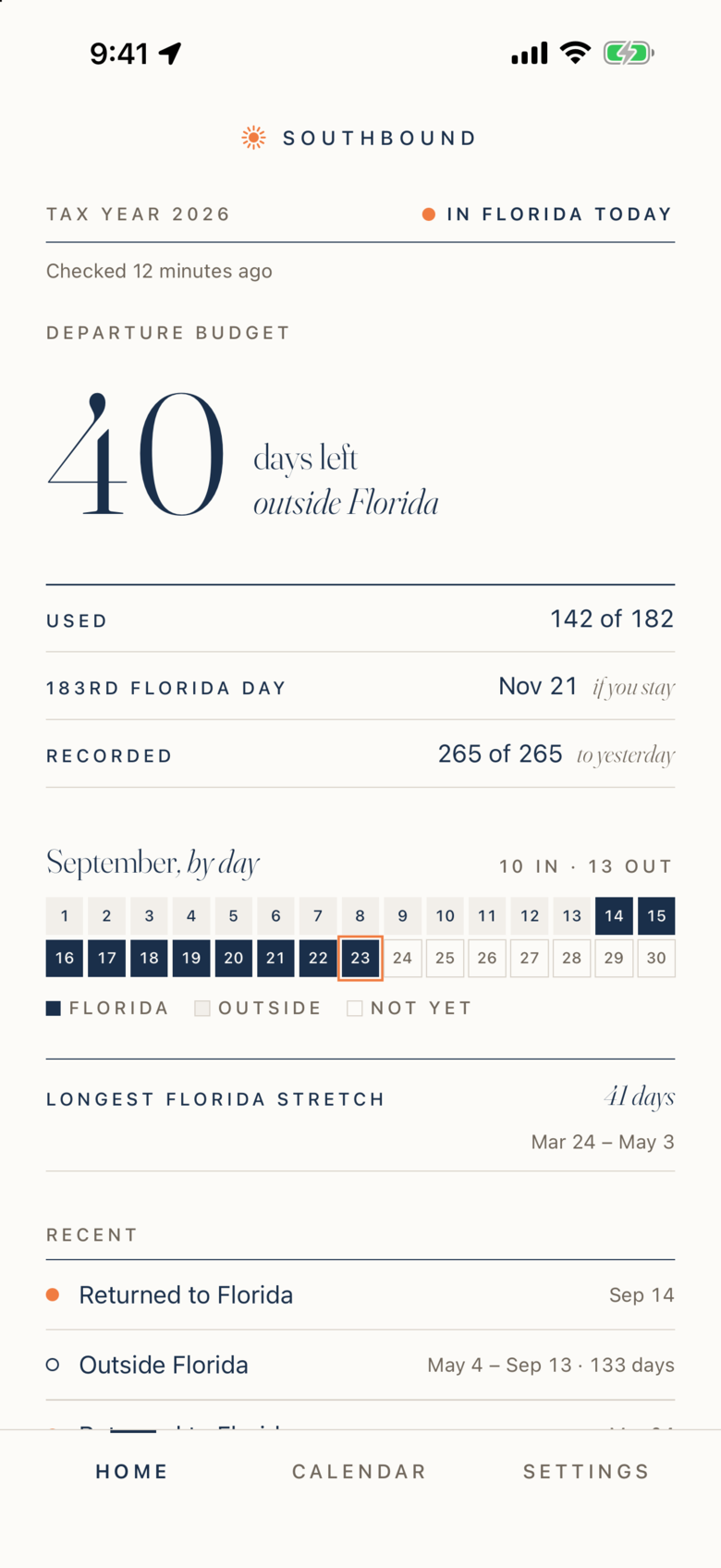
Home now opens on the Departure Budget: the number of days you can still spend outside Florida this tax year and stay on track for your goal. It is the question you actually ask before a trip, answered first.
Below it, three rows do the supporting work: days used, recorded days, and the date of your 183rd Florida day. That date is practical, not a projection from your pace. It is the day you reach your goal if you stay in Florida from today, or if you return tomorrow when you are away.
During a trip, it counts the trip
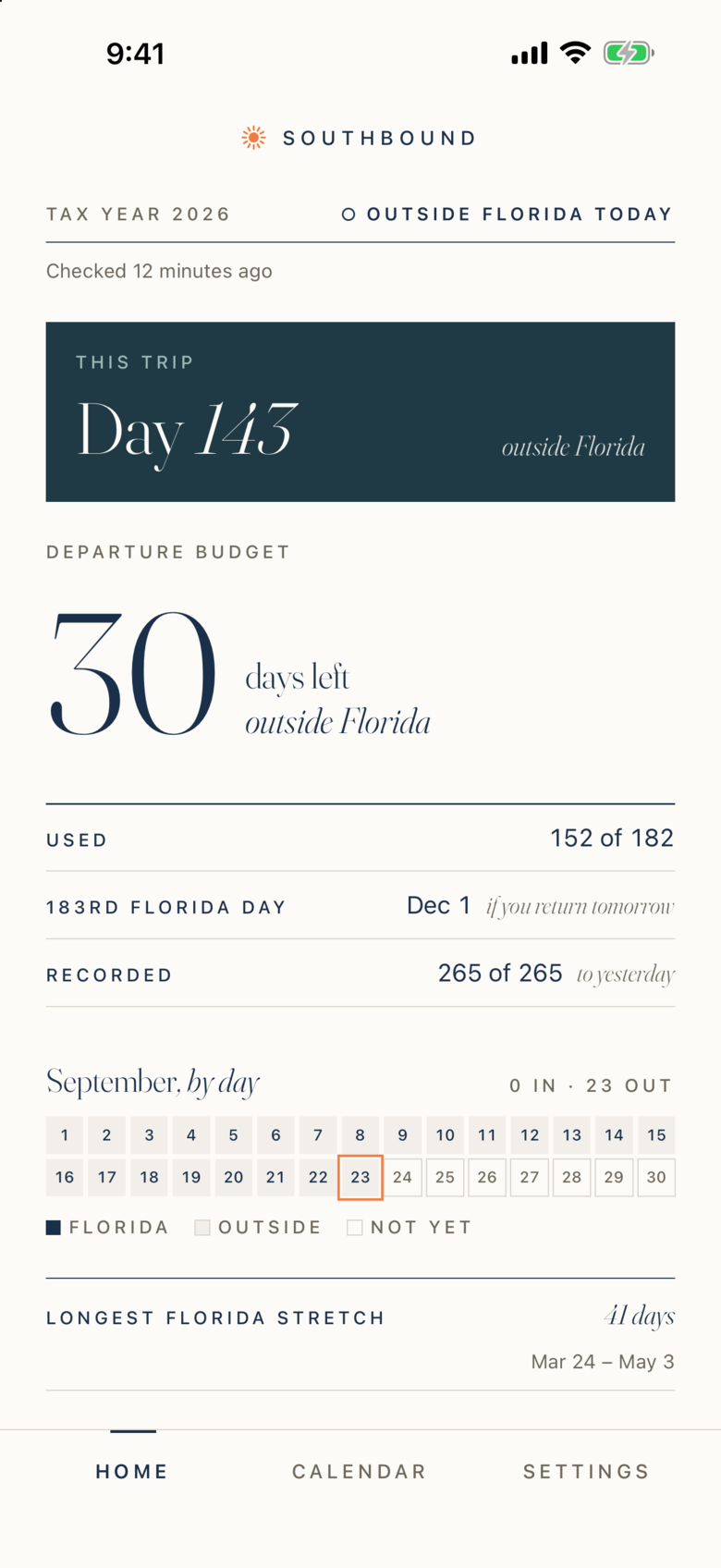
When you are outside Florida, Home says so plainly. A panel shows which day of the trip you are on, and the budget underneath shows what each additional day costs. No maps, no state names. Southbound records whether each day was in Florida or not. That is the question the day count turns on.
The day you reach your goal
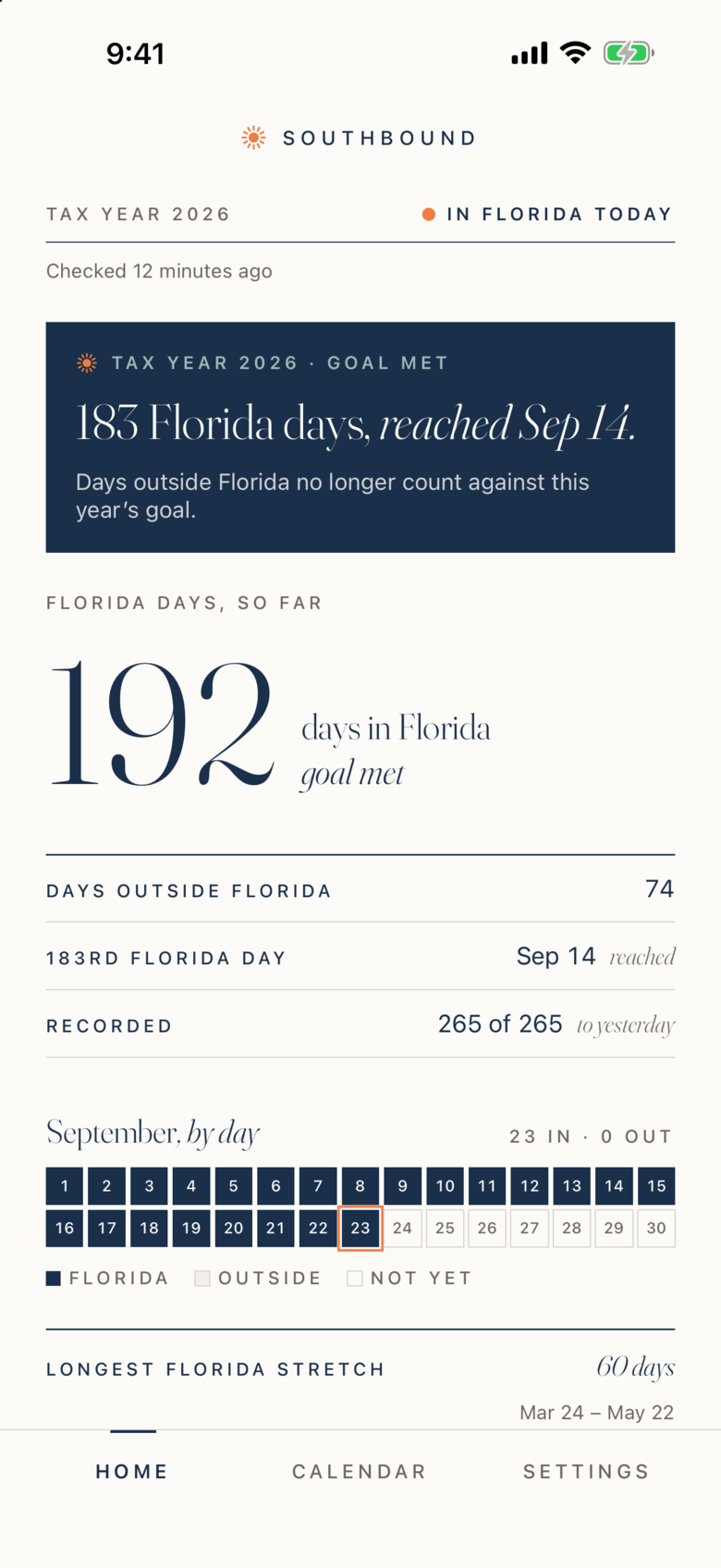
This is new in 2.0. When you reach your Florida day target, Home changes to say so, with the date you reached it: 183 Florida days, reached September 14. One notification marks the day. After that, days outside Florida no longer count against this year’s goal, and the budget warnings stop.
A reached day count is an important milestone, but it is not the whole residency question. Domicile also rests on where your life is anchored: your home, your license, your filings. Our guides to the 183-day rule and the six-months-and-a-day myth cover the rest.
Catch Up, rebuilt
If you install Southbound partway through the year, Catch Up lets you enter the trips you have already taken. In 2.0 the budget updates as you add each trip, so you can see the year take shape. Trips you enter this way are marked as self-reported, and the report keeps them separate from days recorded by the app.
A report worth handing over
The PDF report has a new cover that states the year in three numbers: days in Florida, days outside Florida, and days with no data. The calendars are clearer, the ledger is easier to read, and the text is now searchable, so an advisor can find a date in seconds. You can see a full-year example on the sample report page. It uses fictional data from the same renderer the app uses.
What did not change
- Privacy. Your location history stays on your iPhone and in your personal iCloud account. Southbound operates no servers that can see it. The privacy page has the detail.
- No account. There is nothing to sign up for.
- Your data is always yours. CSV export stays available whether or not you subscribe.
- Founding Members keep every feature, free for life.
- One membership, everything included, with a 14-day free trial for eligible new members. See membership.
Southbound 2.0 also supports larger text sizes and Dark Mode throughout.
How to get it
If you already use Southbound, update from the App Store. Your records carry over; nothing to migrate. If you are new, Southbound is on the App Store, and your record starts the day you install it.
Questions? The support page reaches a human.
Filed under
Written by
Southbound
Published Sep 23, 2026